How to Delete an Office
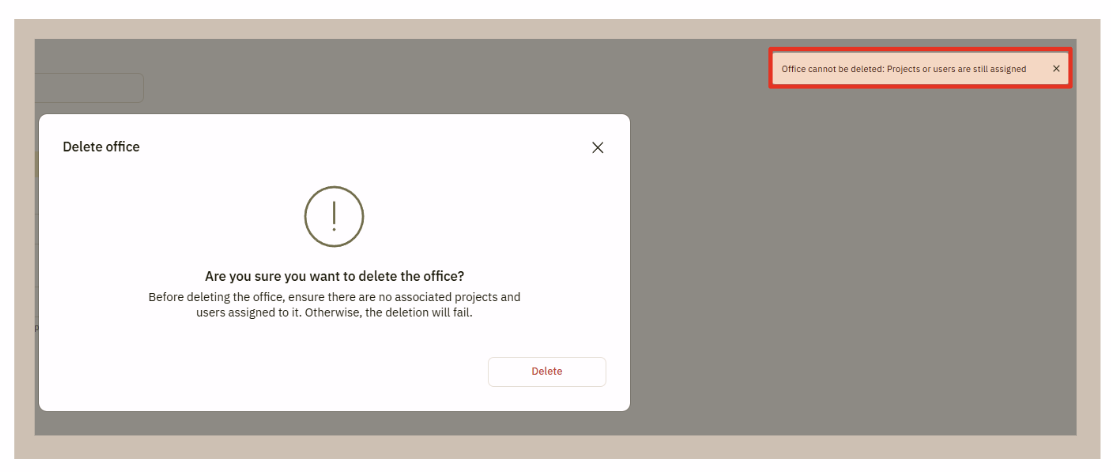
Note: An office can only be deleted if no projects or users are assigned to it.
On the Web Portal under the office tab, find the office you want to delete and click the edit icon next to that office:

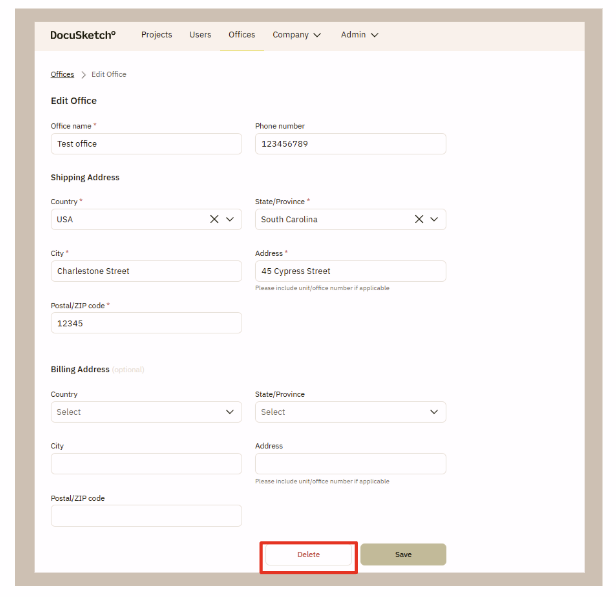
Click the "Delete" button:
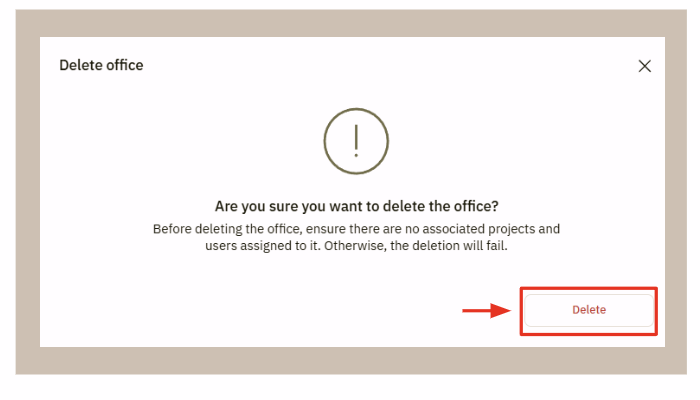
Confirmation window will pop up. Click "Delete:"
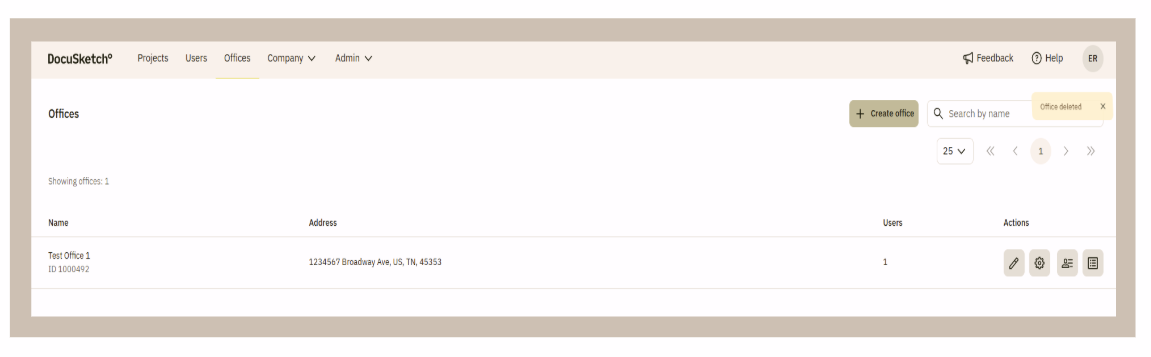
If you have no projects or users assigned to the office, it will be deleted successfully:
If you have projects or users assigned to the office, the deletion process will fail: