How to Create an Office
On the Web Portal under the Office tab in the navigation bar, click the "Create office" button:

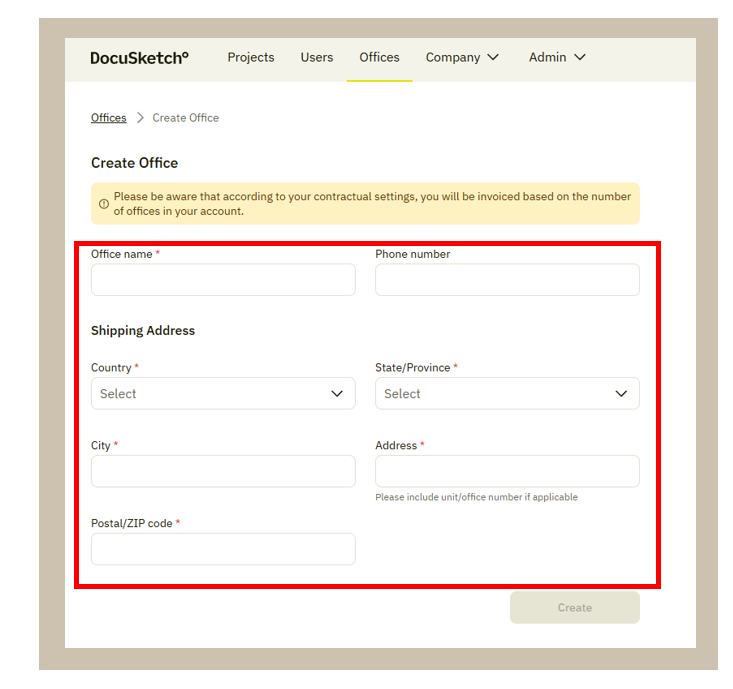
Fill in all the necessary information:
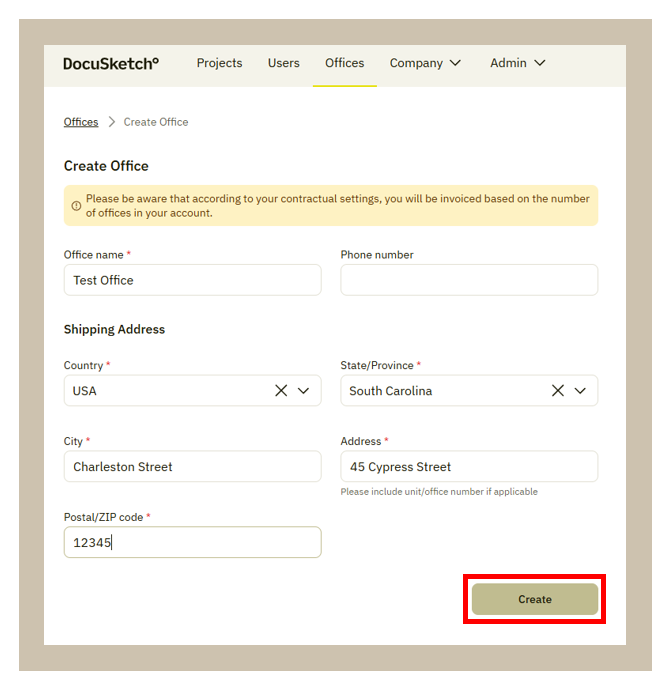
Click the "Create" button when done:
The office will appear on the offices list: 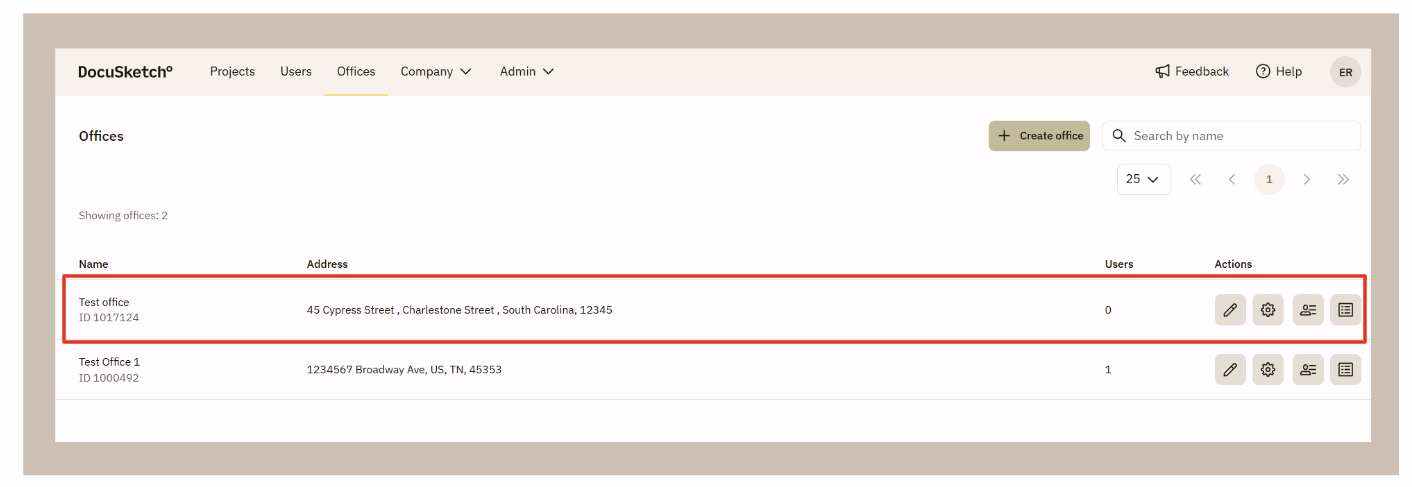
On the Web Portal under the Office tab in the navigation bar, click the "Create office" button:
Fill in all the necessary information:
Click the "Create" button when done:
The office will appear on the offices list: